
One design language for a telehealth platform
Joining knok as first full-time designer to replace a patchwork of freelance work.
Summary
- ServicesProduct design, Design systems, Illustration
- IndustriesDigital health, Telemedicine
- DateJun 2020 - Oct 2021
I joined knok as its first full-time designer, taking over a platform that had grown through freelancers and rapid iteration. Its branding, UI patterns and user experience were inconsistent across the patient, doctor and admin interfaces. Over 16 months, I built a design system and designed the core experiences for all three.
Results
-
16 months
To unify the design
-
3 interfaces
On one design system
-
Modular
Checkout and email
The challenge
knok's platform had grown quickly, powered by freelancers and rapid iteration. That left inconsistencies in branding, UI patterns and user experience across the patient, doctor and admin interfaces. My job was to build one design foundation that could scale with that growth, support new features and work for every user.
How knok works
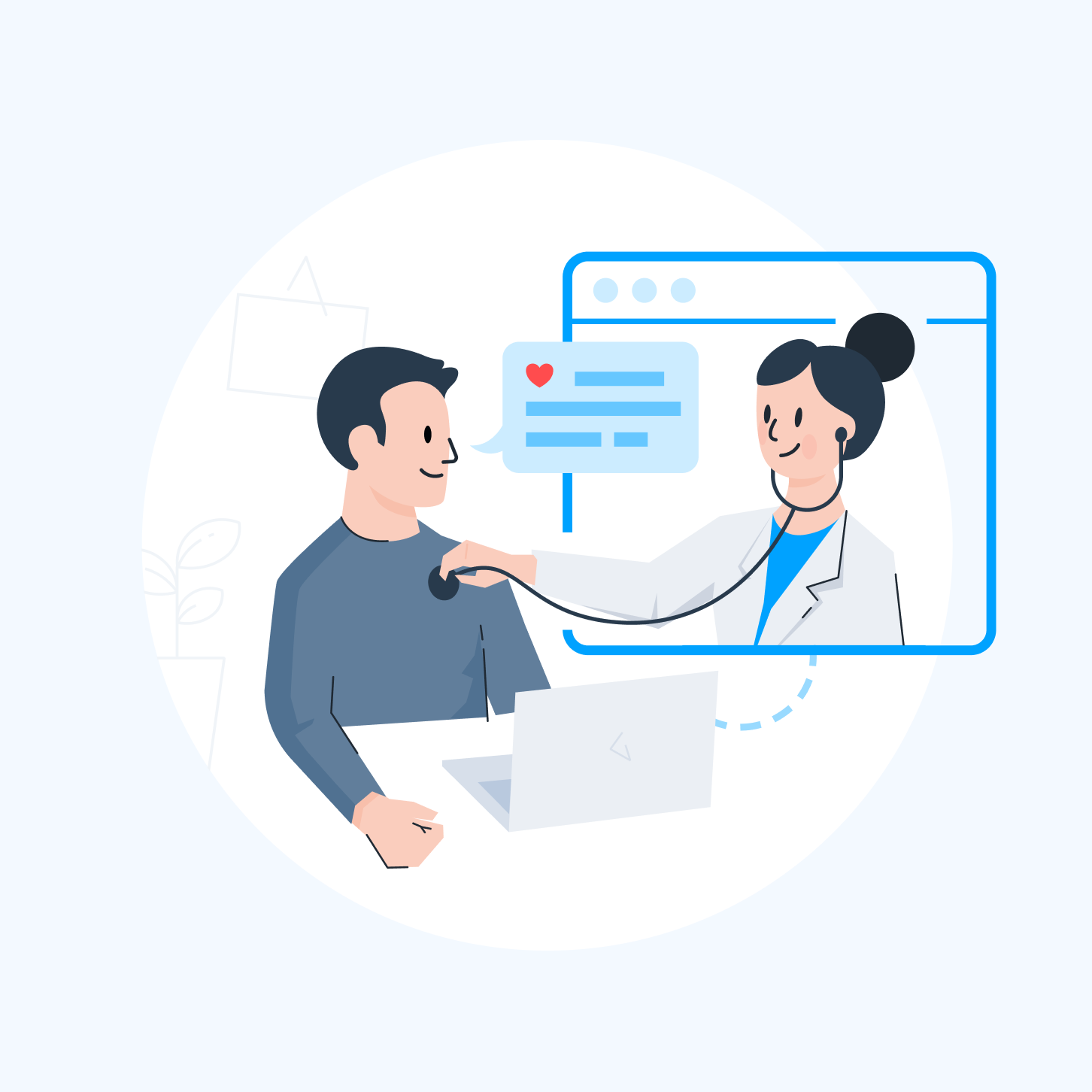
knok is an all-in-one digital health platform with four audiences.
-
Patients
Book and join video consultations, manage appointments and receive care from anywhere.
-
Doctors
View schedules, run secure video consultations, access patient info and record notes in real time.
-
Administrators
Manage schedules, monitor appointments and oversee operational efficiency.
-
Healthcare providers
Integrate with knok's white-label, API-driven platform for tailored patient journeys and data-driven care.
Design system
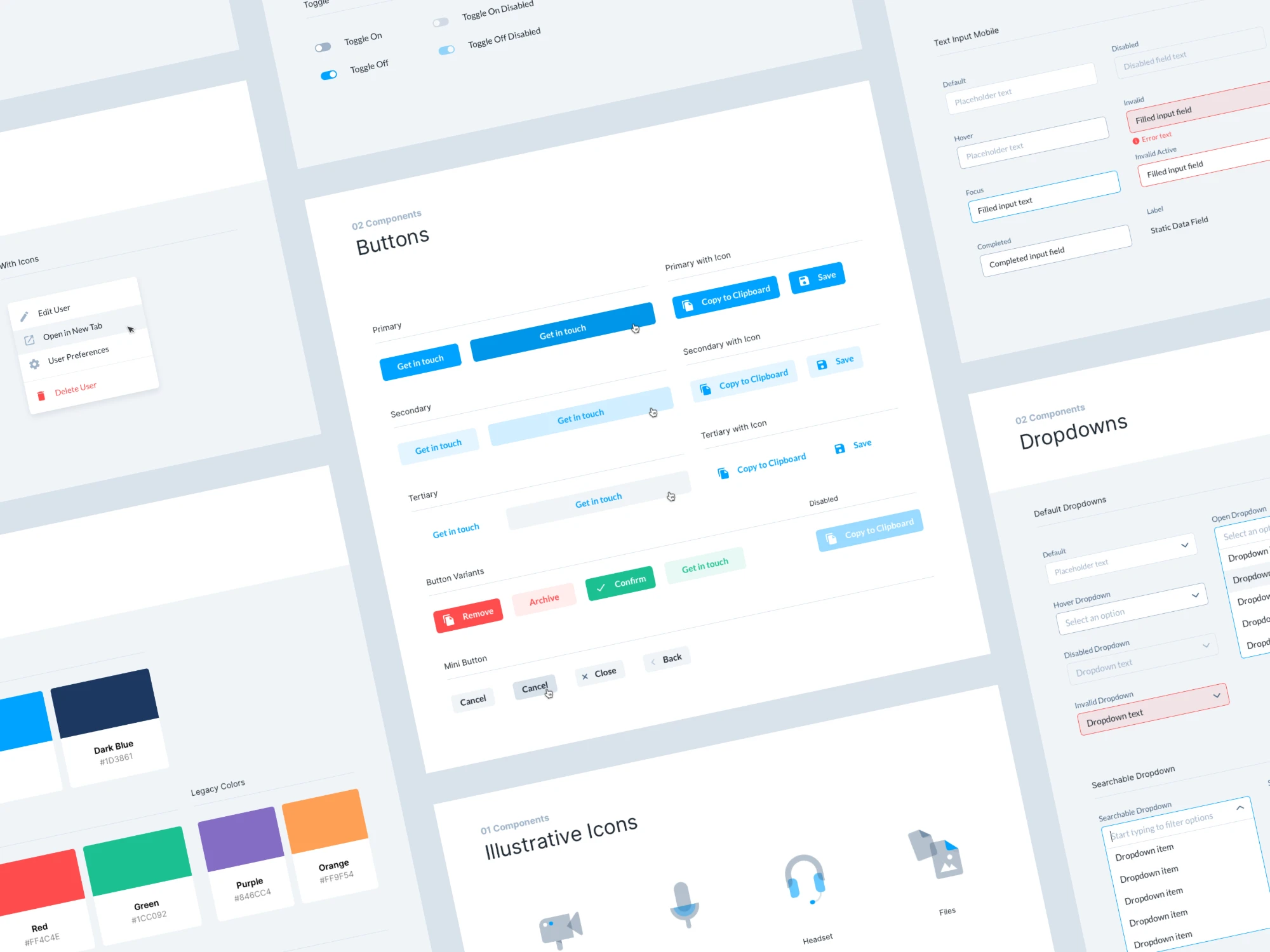
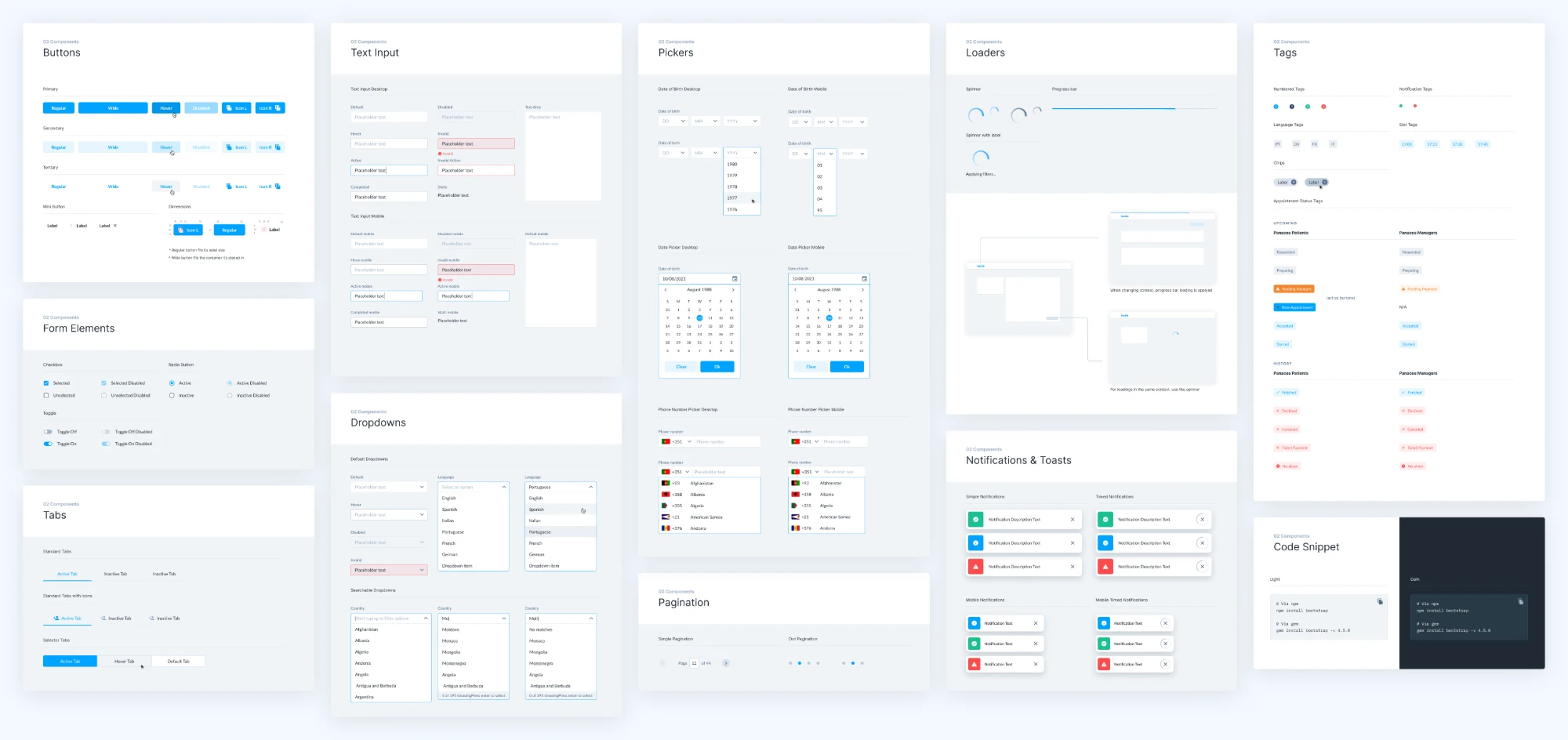
I began by auditing every existing design and UI component to find redundancies and inconsistencies. I then consolidated, cleaned up and simplified the component library into a scalable design system.
-
Core styles
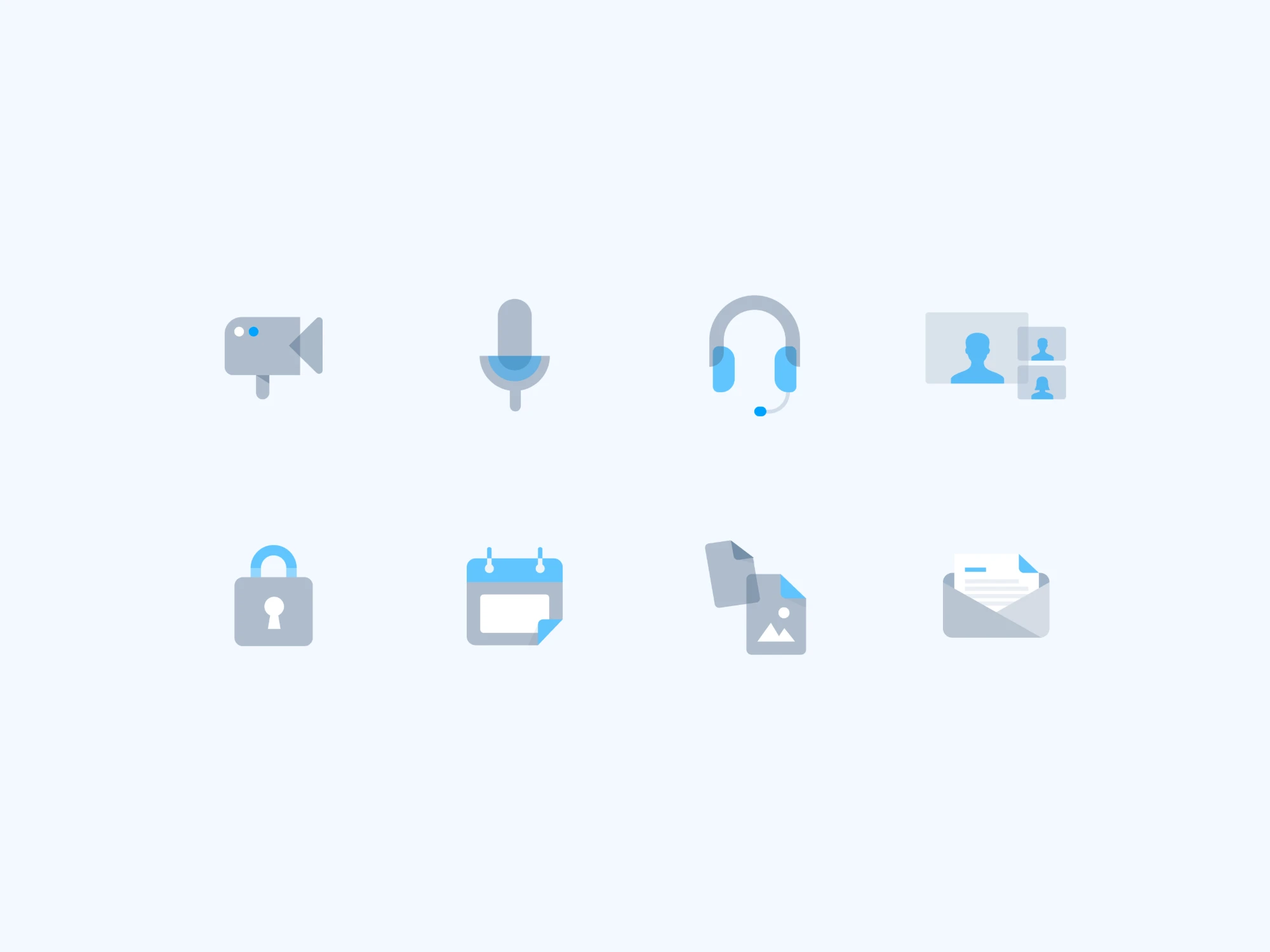
Color palettes, typography, spacing, icons and brand assets.
-
UI components
Buttons, forms, cards, navigation elements and modals, all built for the platform's needs.
-
Patterns
Consistent flows for booking, video consultation and dashboard management.
-
Documentation
Clear usage guidelines to onboard new designers and make collaboration with engineering easier.
Product improvements
Booking an appointment
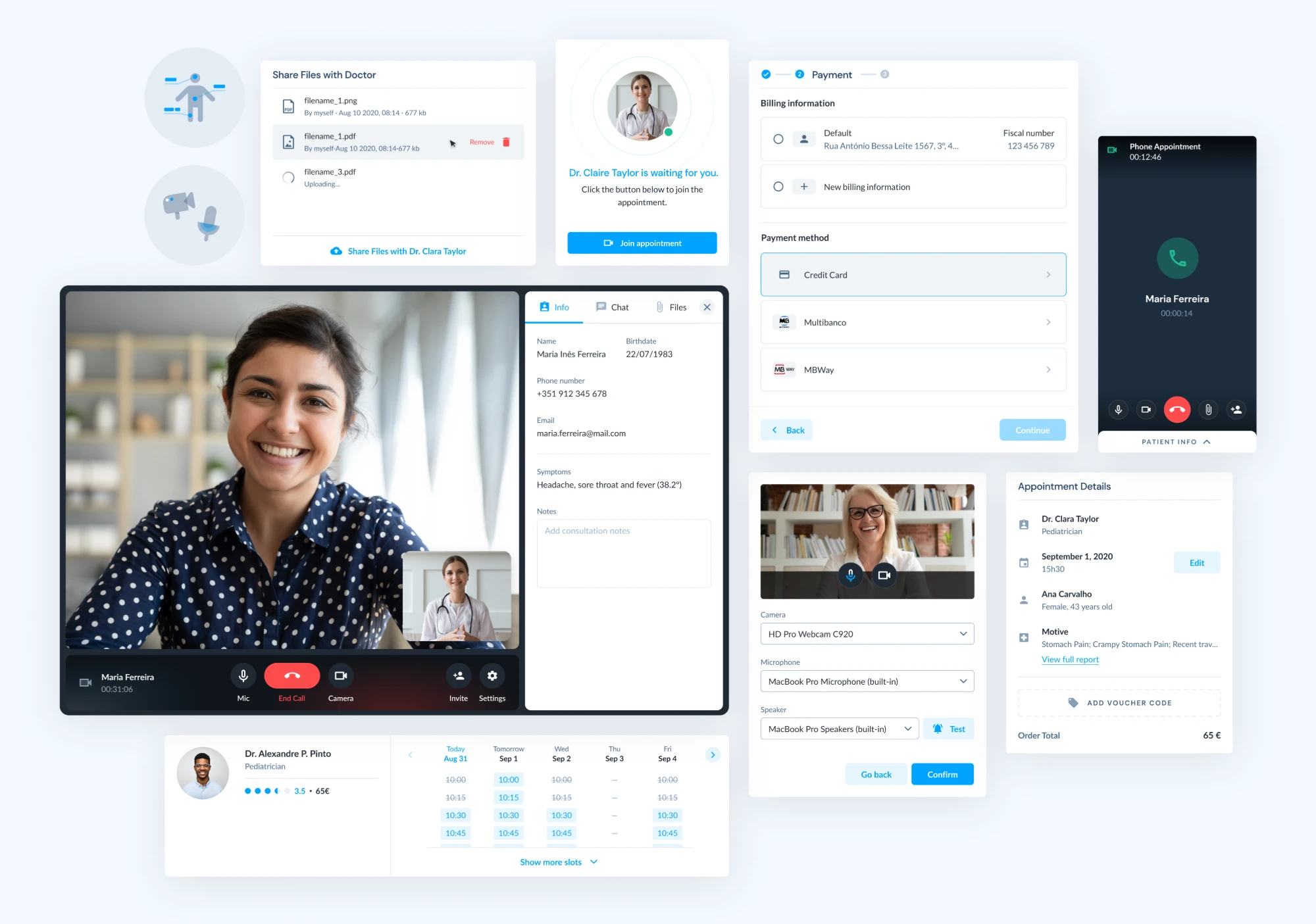
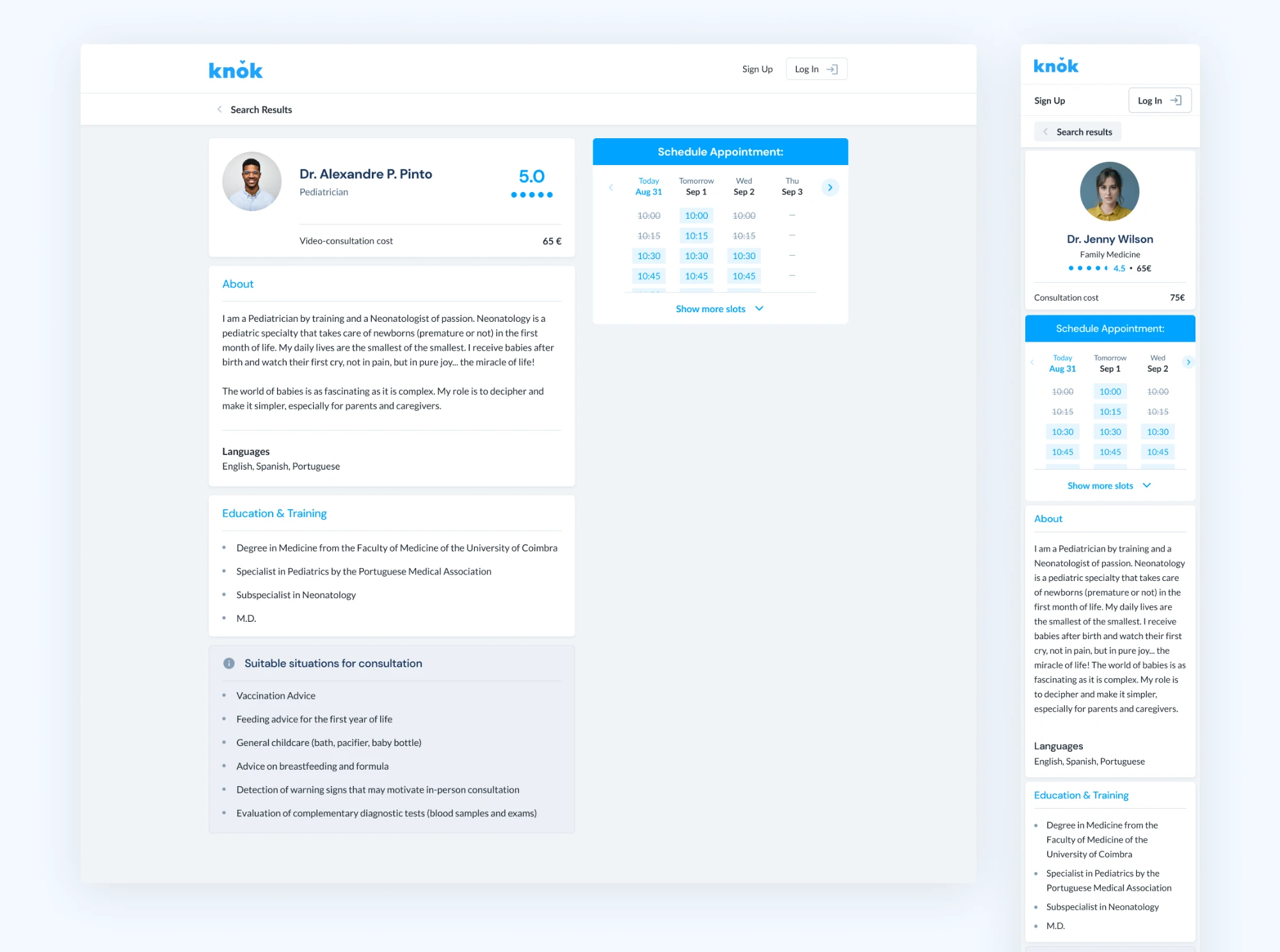
I built the appointment booking flow from scratch. Users can find doctors, see their availability and book a consultation quickly, including for the same day.
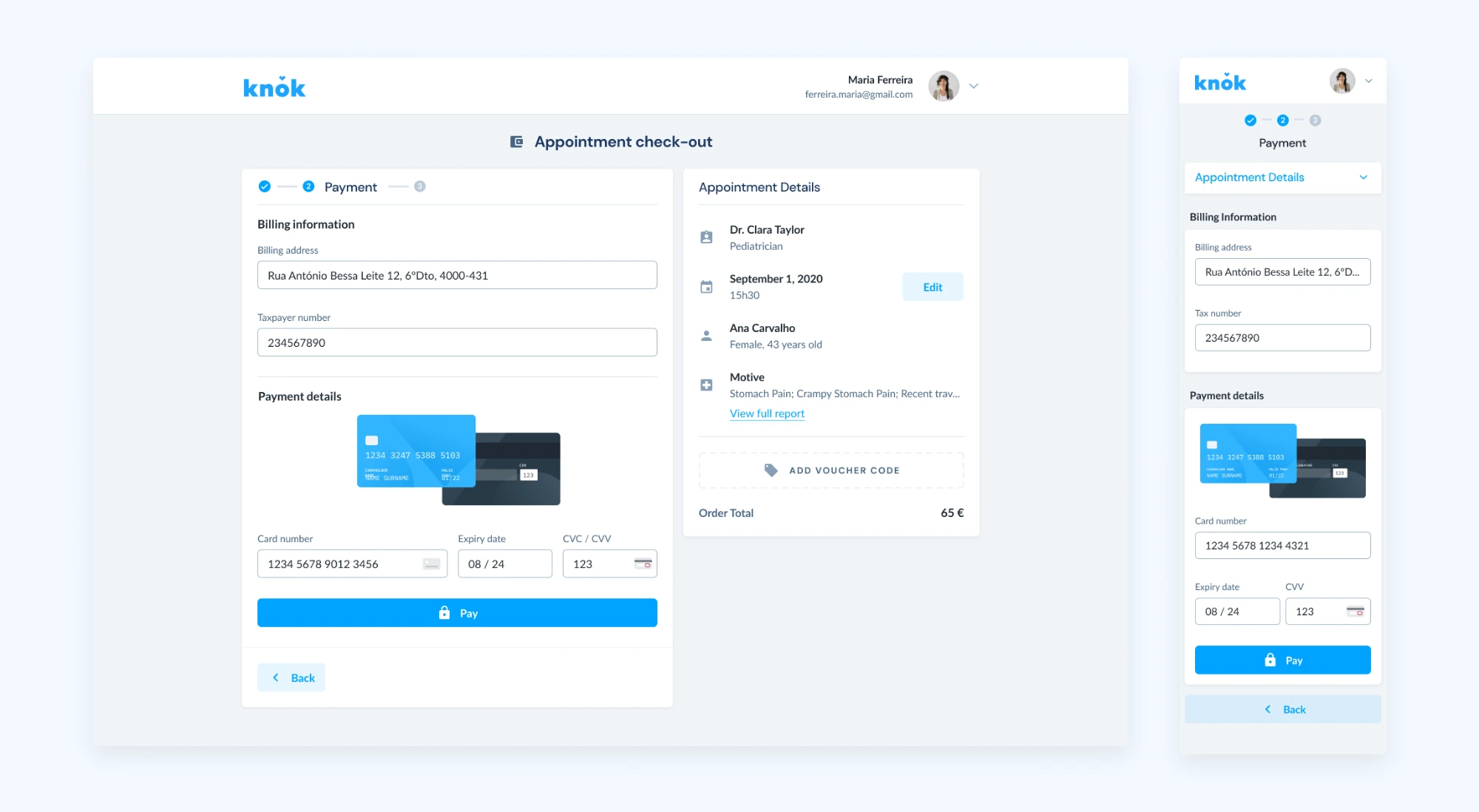
Checkout
I created a modular checkout flow that adjusts to the consultation type, the selected specialty and the payment method.
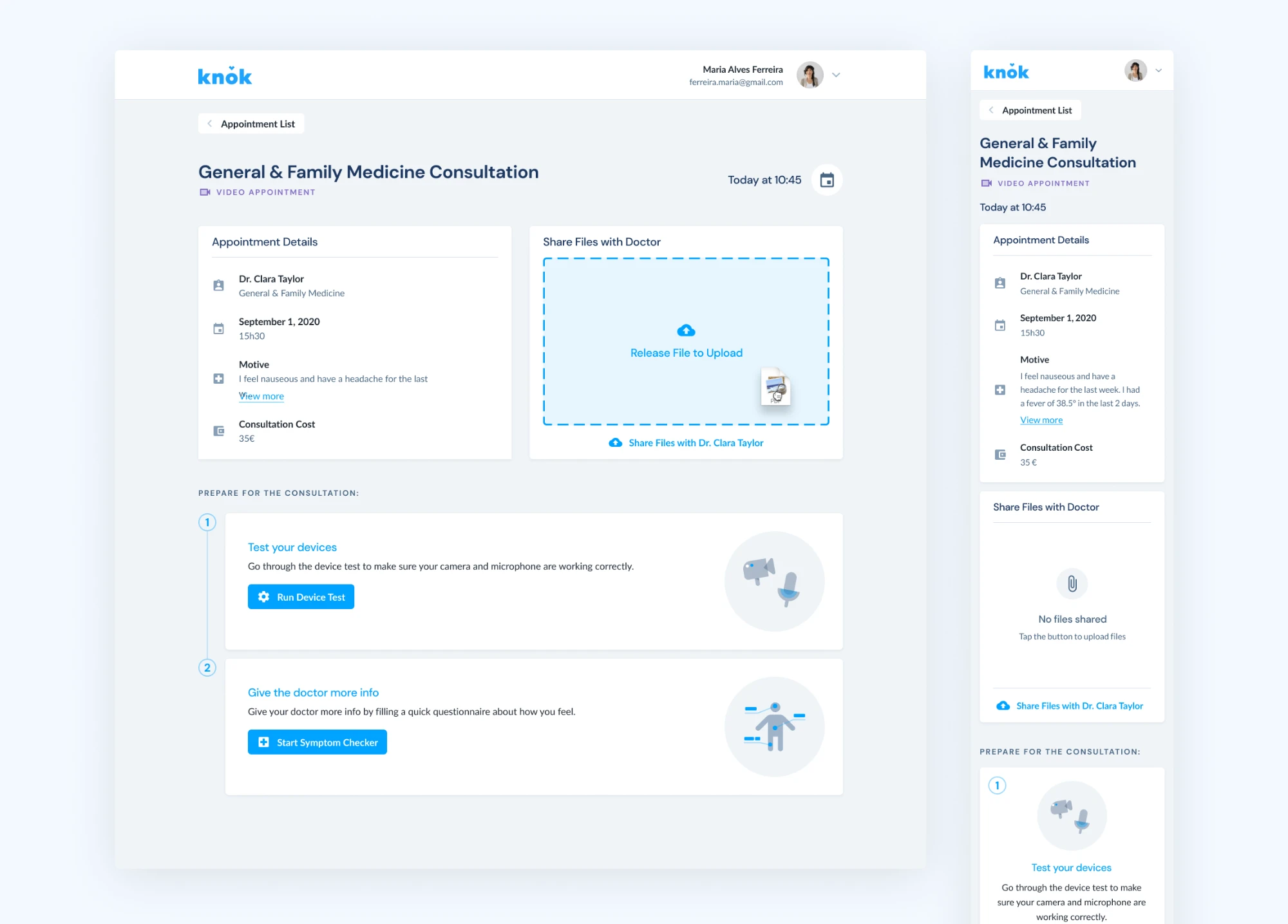
Waiting room
The waiting room is an important concept at knok. Before a consultation begins, we created a virtual waiting room where patients can upload relevant files, like exams.
Patients can also test their camera and microphone, so technical issues don't eat into the consultation, and run an online symptom checker. The checker gives the doctor more context about what the patient's condition might be.
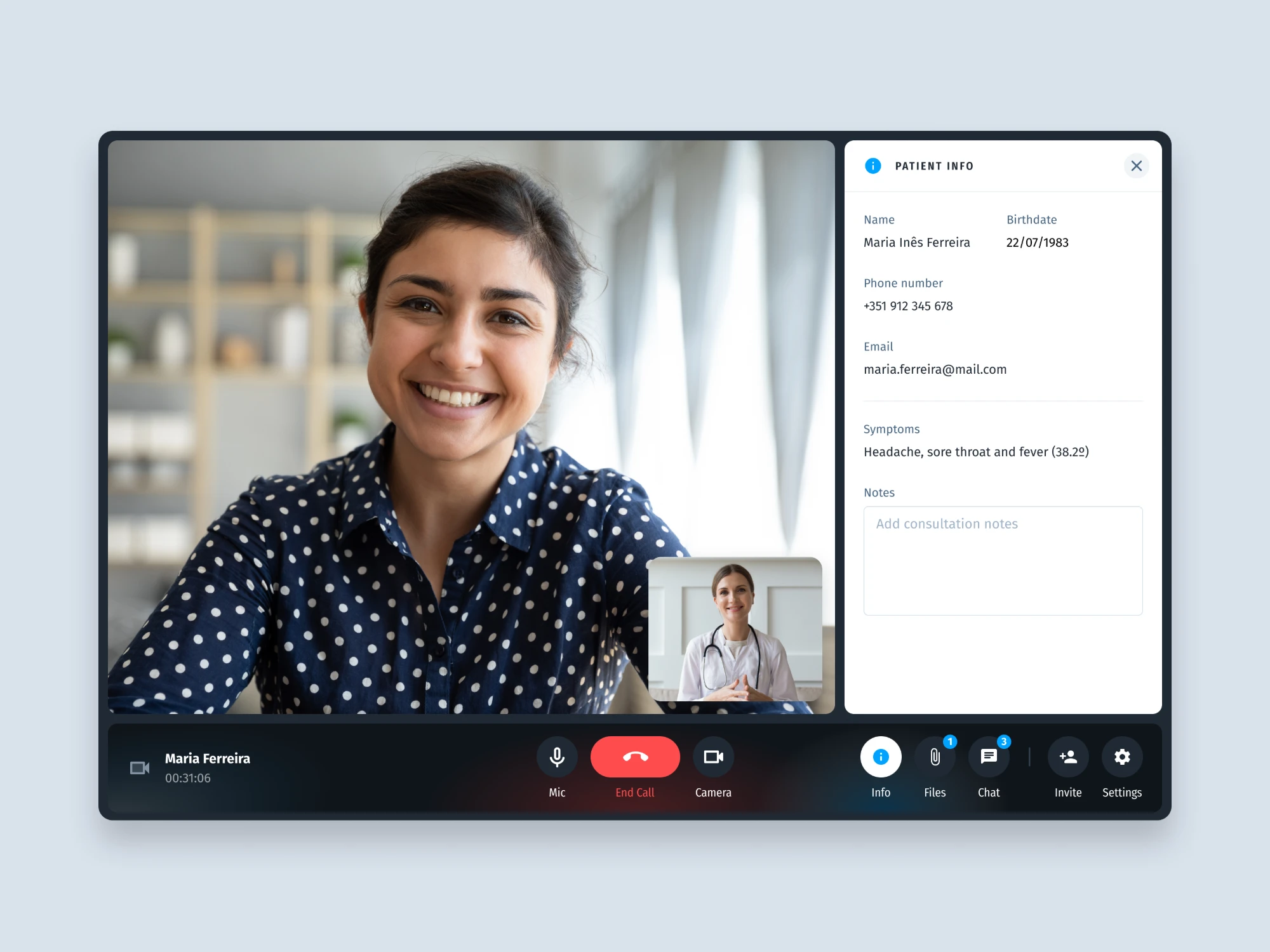
Teleconsultation experience
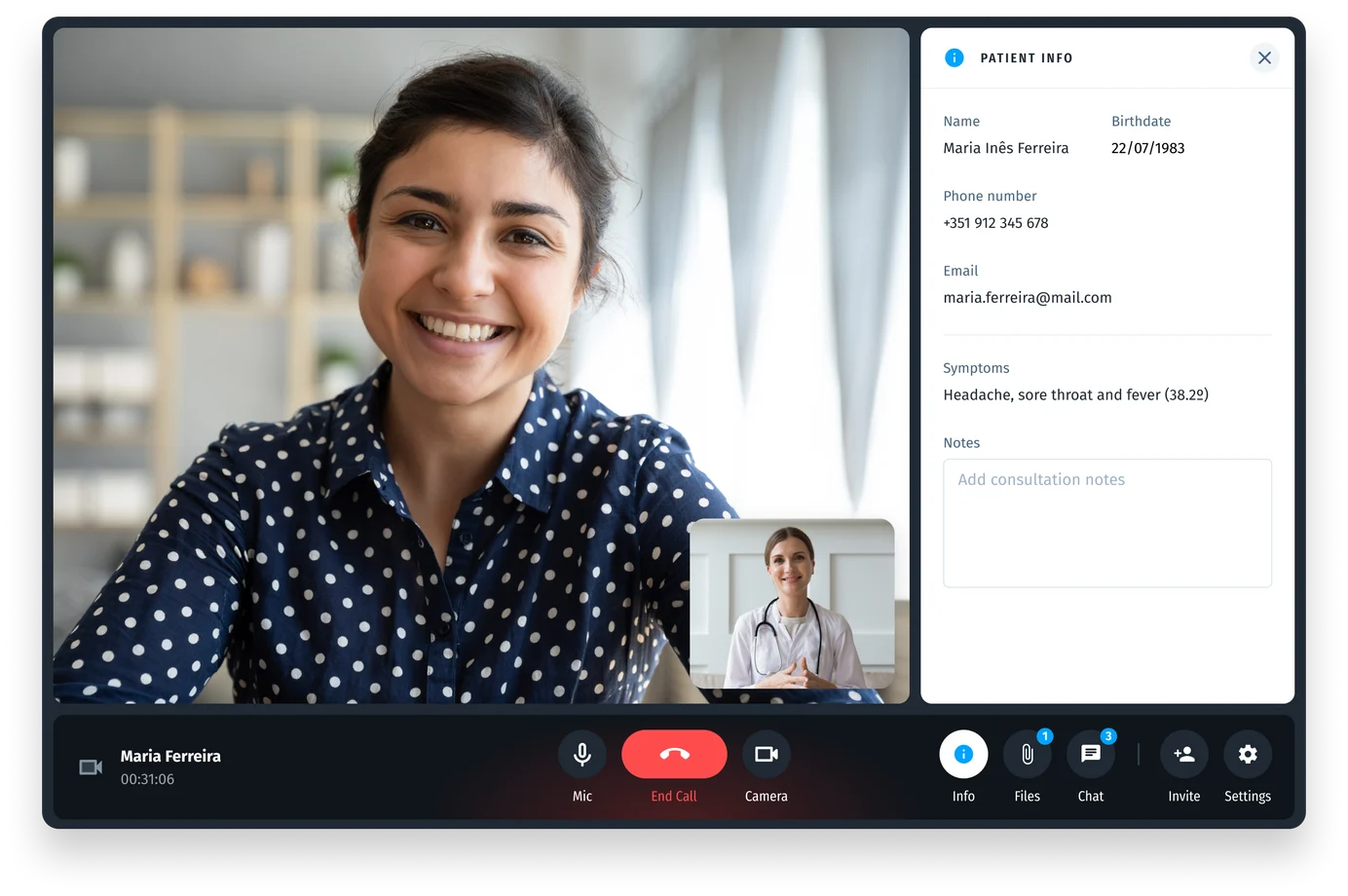
I redesigned the patient booking flow to be intuitive and reassuring, reducing friction from scheduling to joining a call. For doctors, I created a dashboard to manage appointments and run video consultations, with quick access to patient info, notes and files.
The admin dashboard was tailored for operational oversight, so hospital staff can manage schedules and monitor activity at scale.
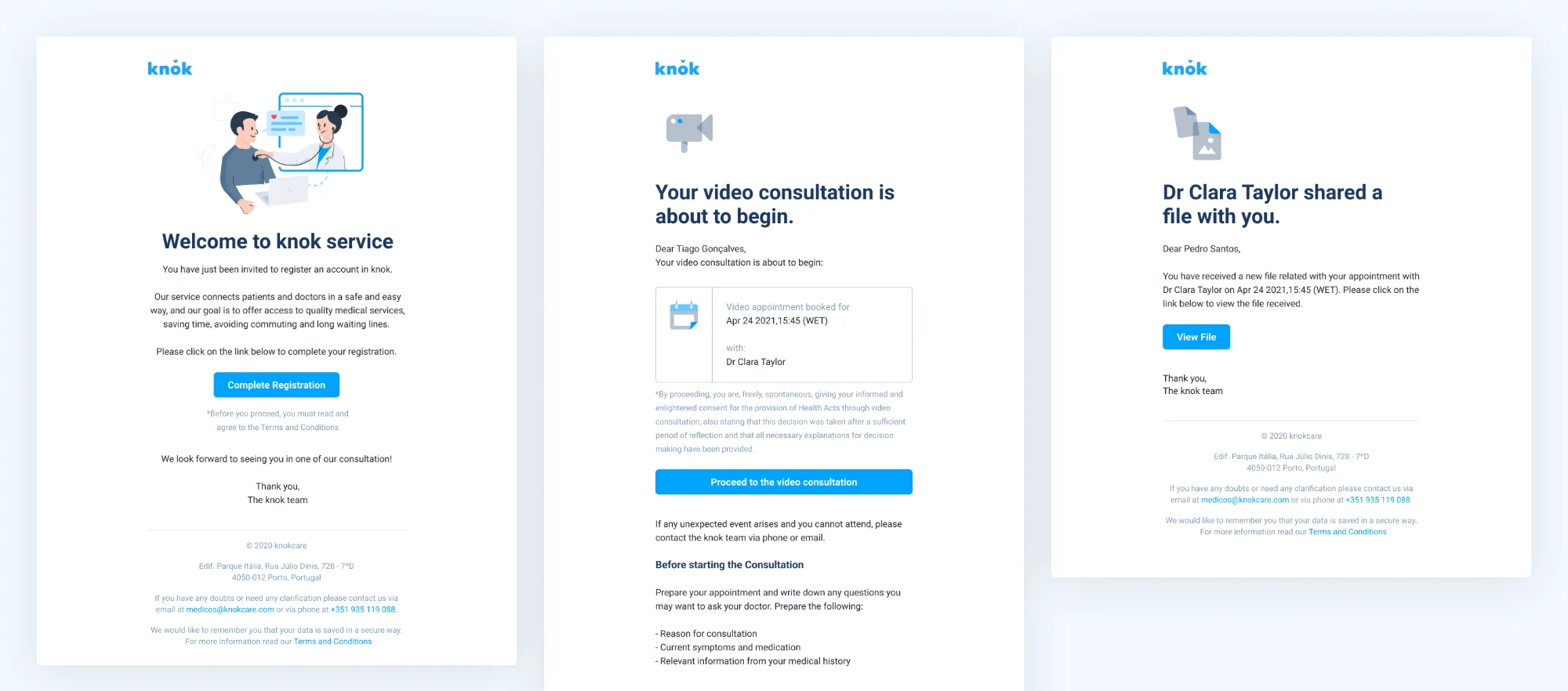
Email design system
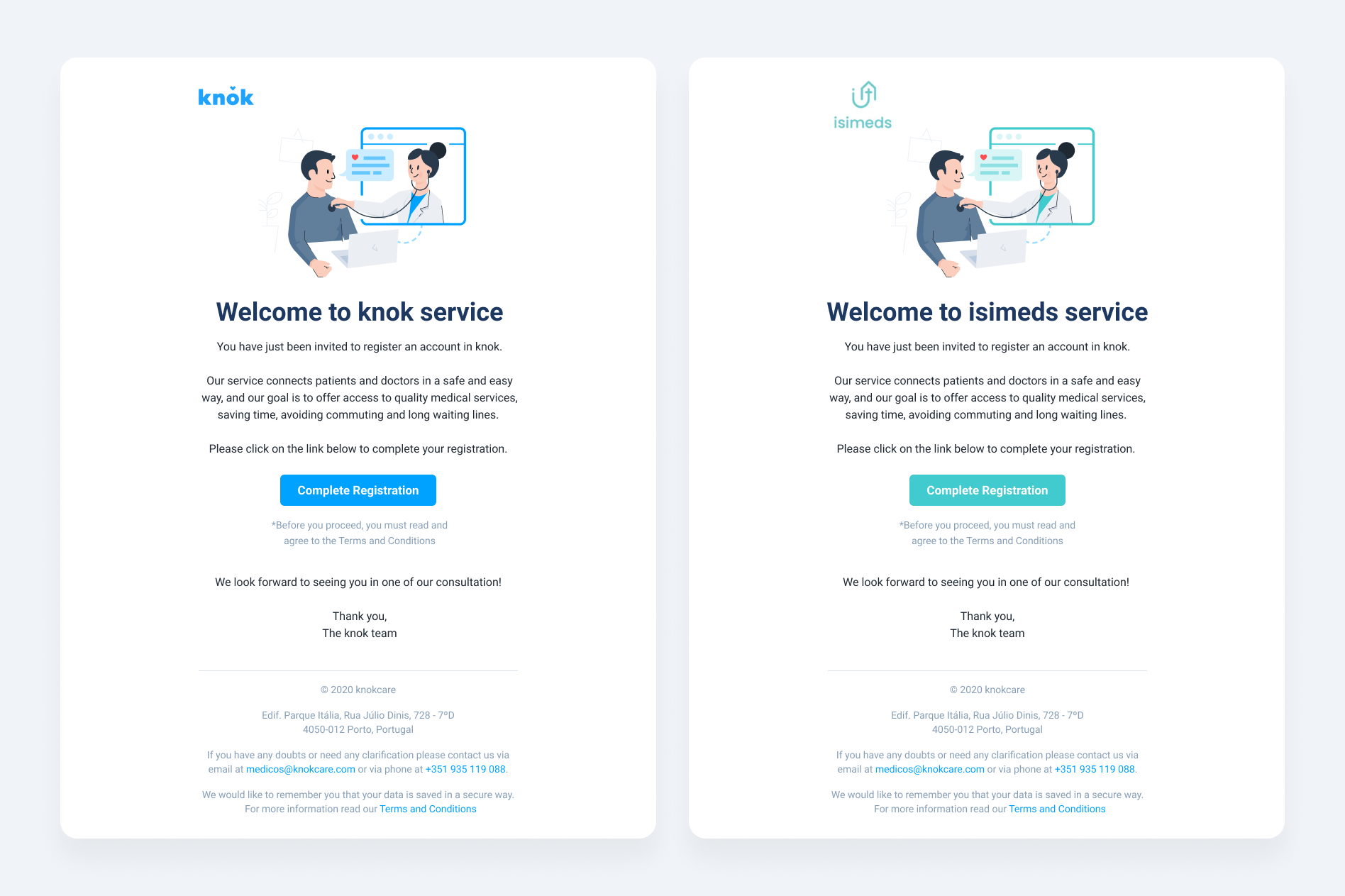
I developed a modular email design system for knok's communication needs. Marketing and product teams could quickly assemble branded, responsive templates for transactional messages, appointment reminders and promotional campaigns.
Outcomes
- Booking and teleconsultation flows with less friction for patients and clinicians.
- Accessible, modern and responsive UI components across all platforms.
- Easier onboarding for future designers and a smoother handoff between design and development.