From zero to product concept in 3 weeks
Designing a family safety app prototype for Sony's smart tracker.
Summary
- ServicesUX/UI design, Wireframing, Prototyping
- IndustriesFamily safety, Smart devices
- DateJul 2018 - Aug 2018
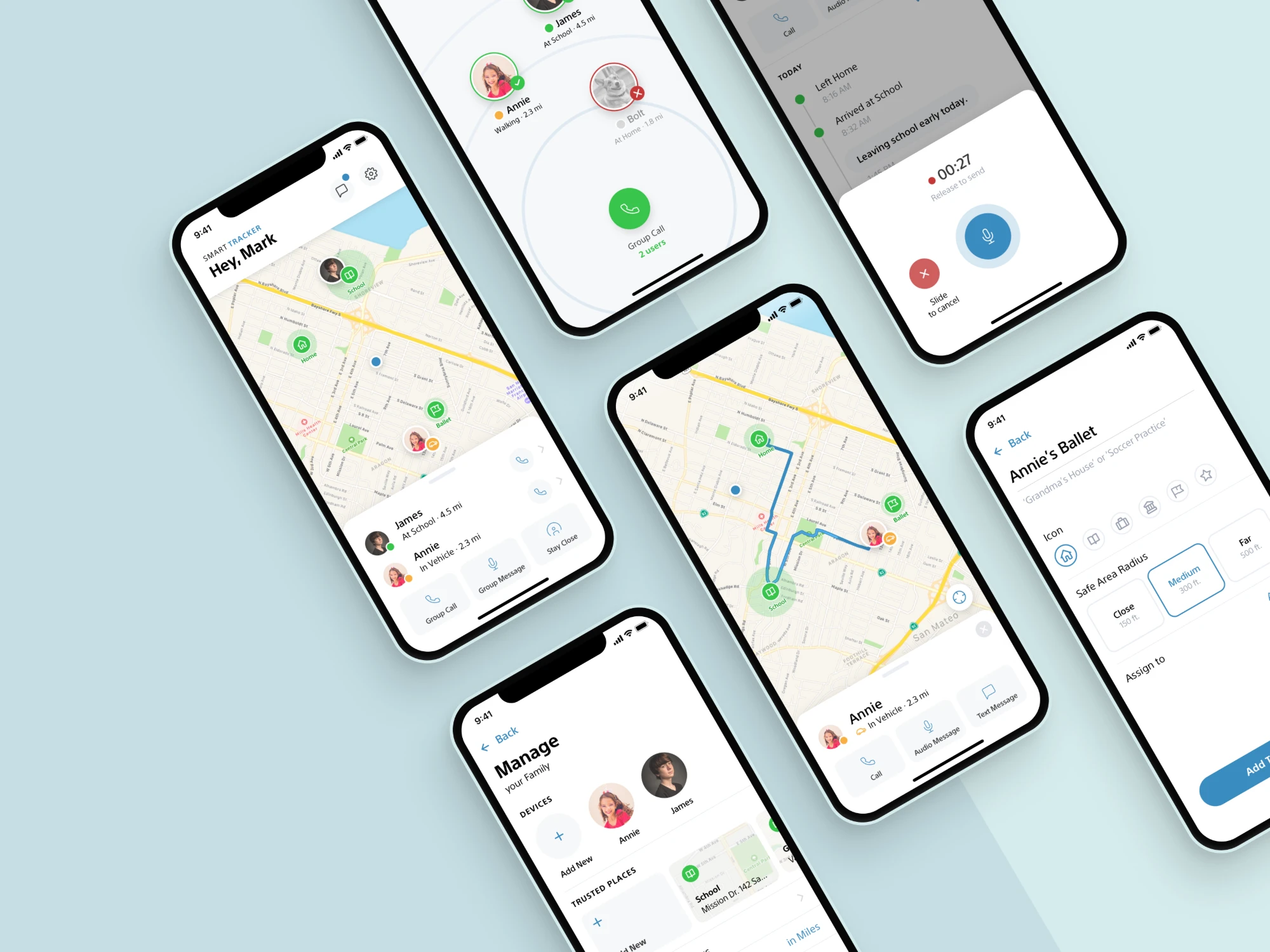
At Nagarro Product Studio, I partnered with a project manager to design and prototype a companion app concept for Sony's smart tracker device. The brief covered real-time tracking of underage family members, trusted places, emergency detection and quick voice communication. In three weeks we delivered wireframes, high-fidelity screens and an interactive prototype for iOS and Android, then pitched it to Sony's team in San Francisco.
Timeline
- Week 1Discovery, user persona definition and low-fidelity wireframes
- Week 2High-fidelity UI design and interaction flows
- Week 3Interactive prototype, pitch preparation and delivery to Sony
The challenge
Sony's brief called for a companion app that would make its smart tracker device family-friendly. The app needed to:
-
Track underage family members in real time.
-
Let users set up trusted places (safe zones) and alert them when someone enters or leaves.
-
Detect emergencies.
-
Enable quick voice communication.
With three weeks and a two-person team, speed, clarity and a user-centered approach were essential.
Design process
User personas
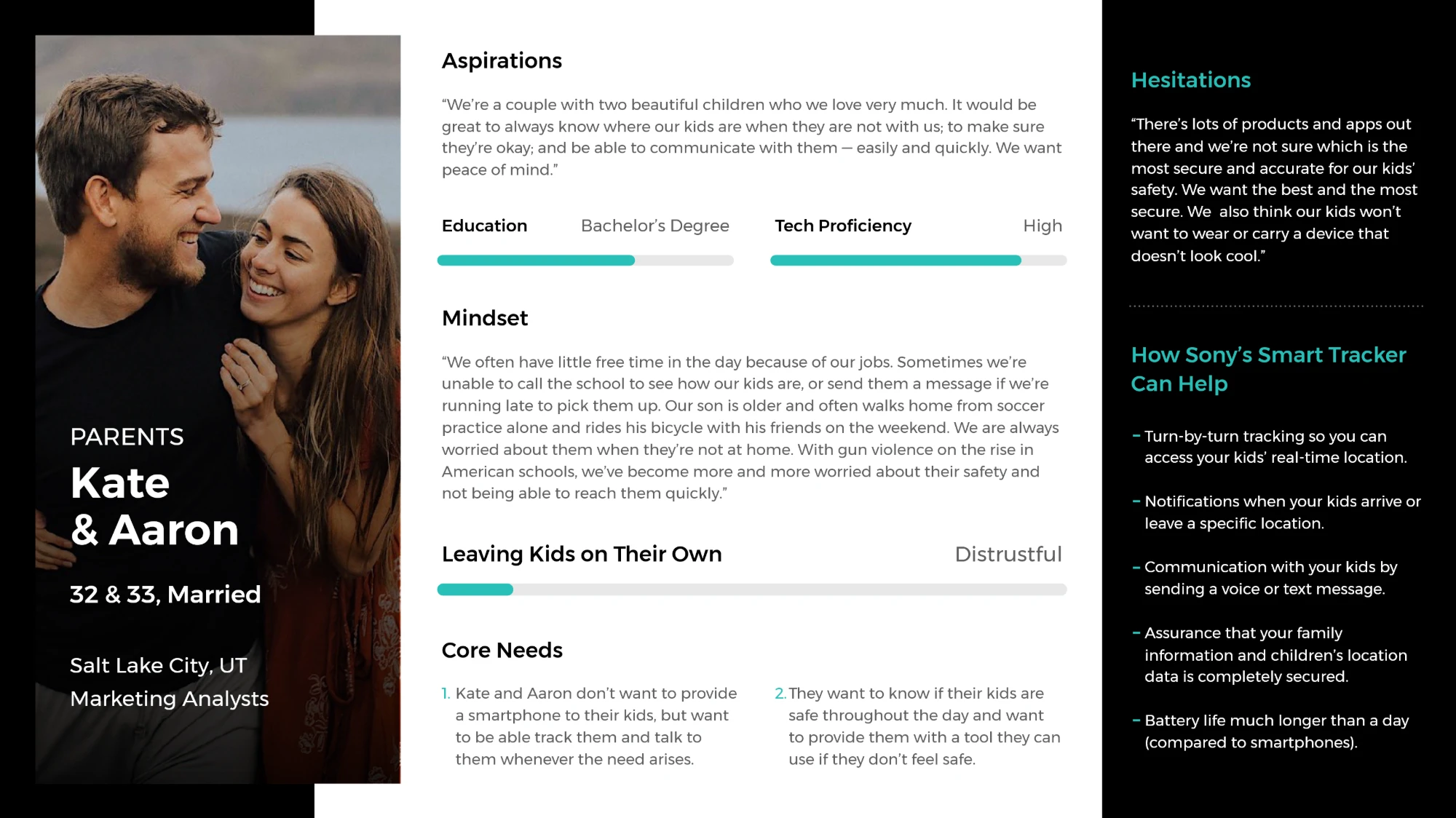
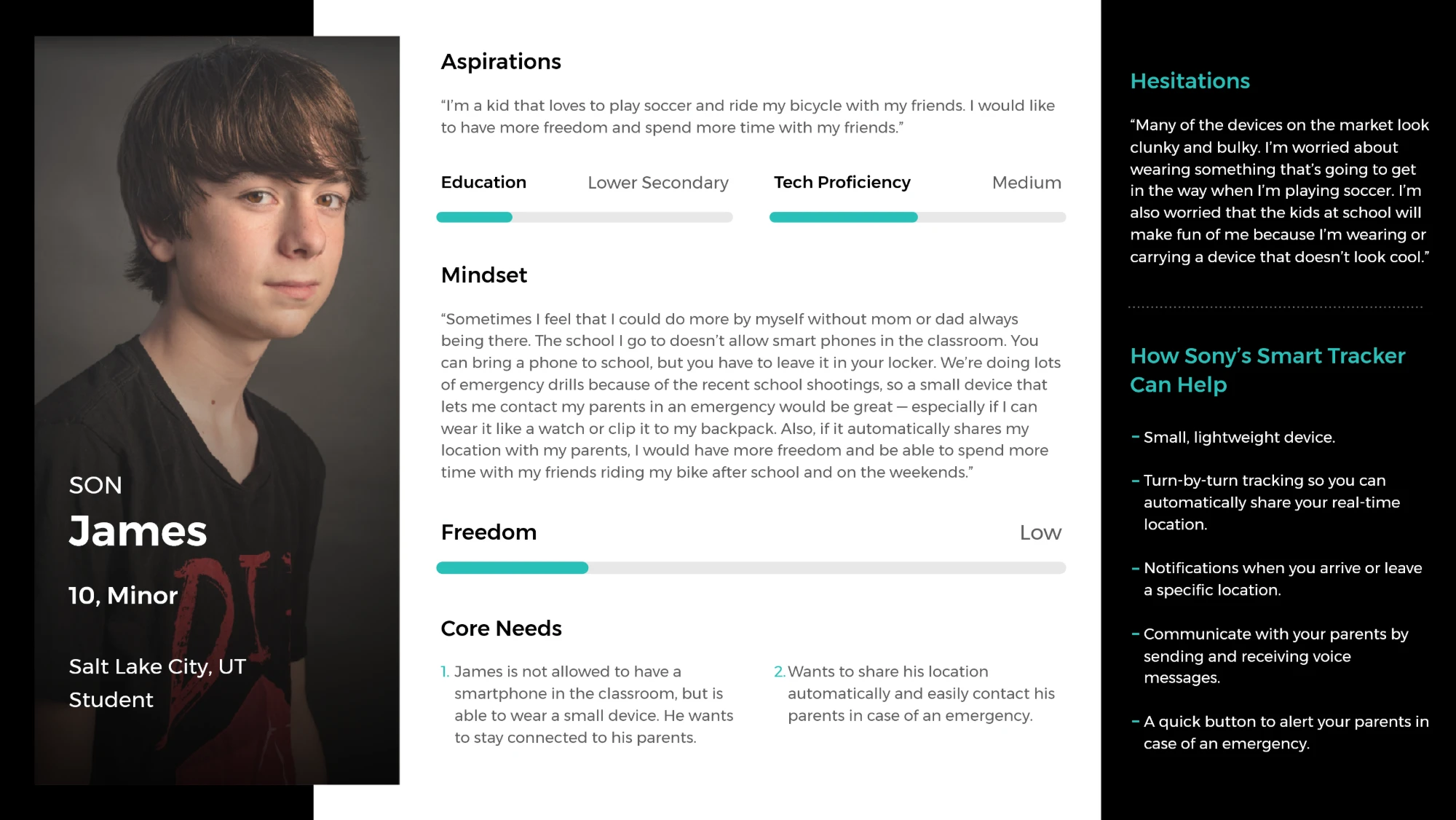
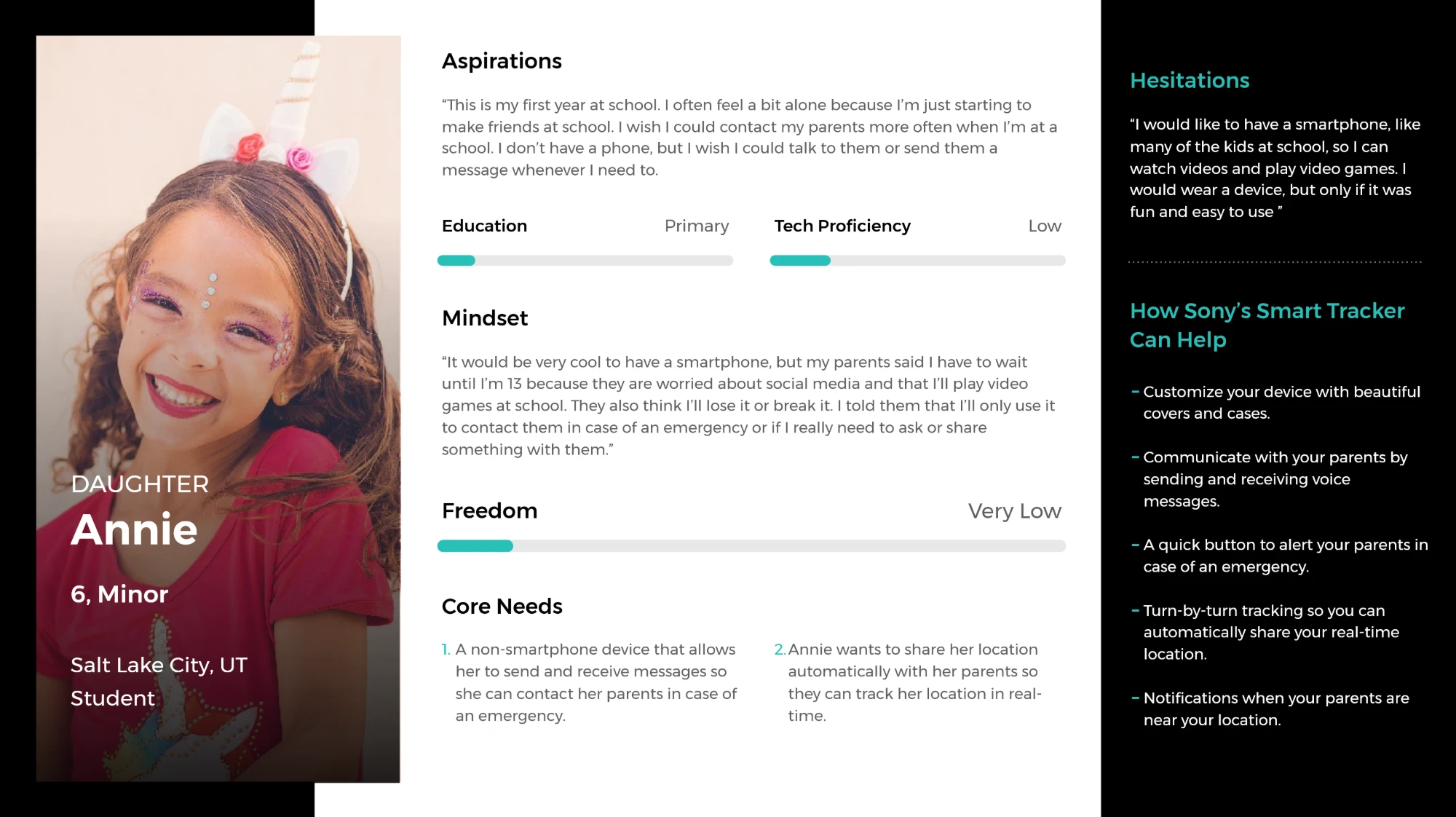
We developed three core personas: a couple (the parents) and their two children. The parents are the primary users. They monitor their children's real-time locations, set up trusted places like home or school, receive emergency alerts and communicate instantly via voice messages.
The children carry the device. Their main interaction is wearing the tracker, which keeps them safe and connected without requiring them to manage the technology.
Competitor research and UI inspiration
We analysed leading family tracking and safety apps to understand their core features, user flows and visual styles. For UI inspiration, we explored both direct competitors and best-in-class apps in adjacent spaces.
We focused on patterns that balance simplicity, engagement and trustworthiness, which matters for a product used by both parents and children.
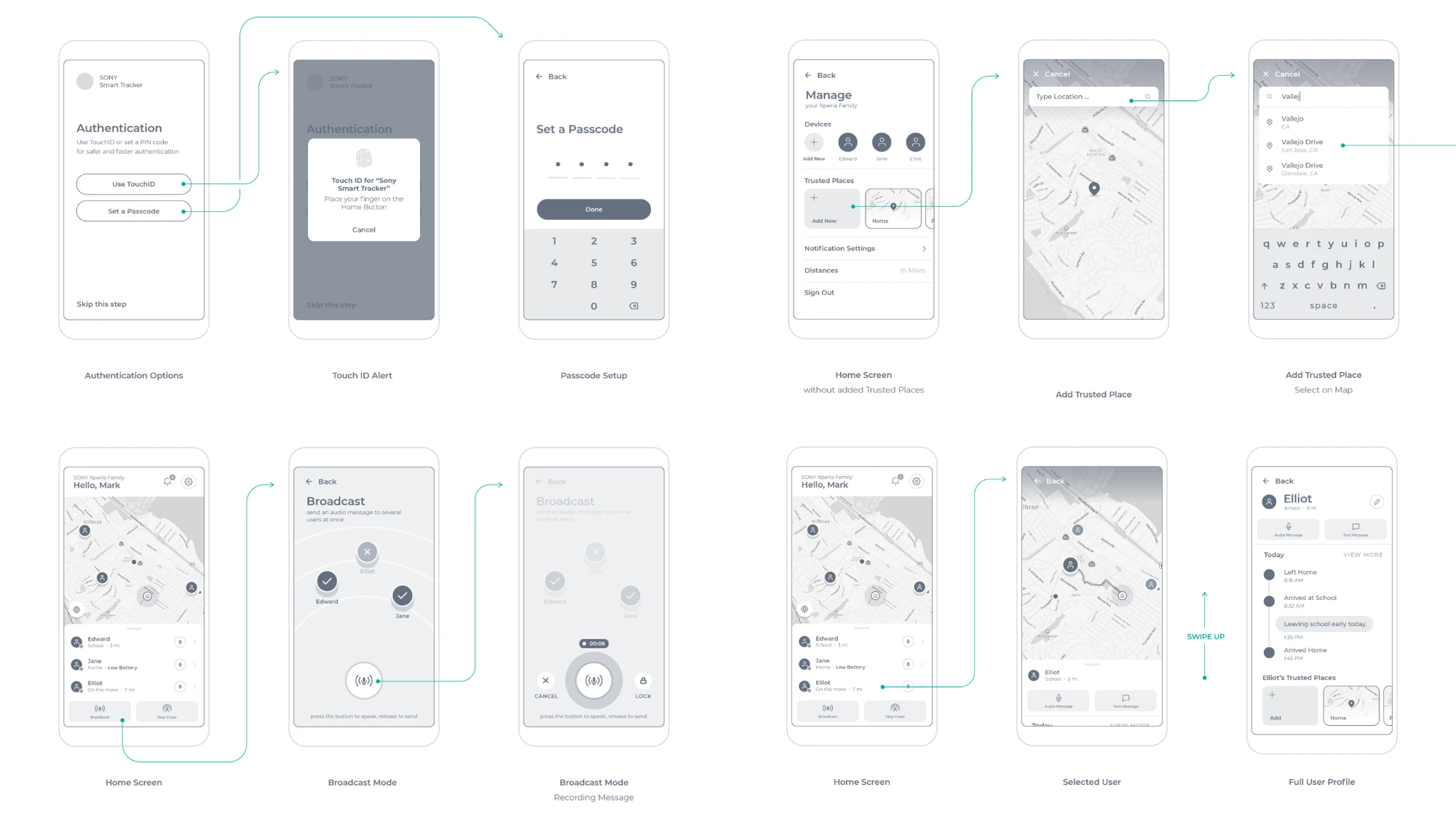
Wireframing and ideation
We mapped the core user flows and sketched mid-fidelity wireframes to align quickly on structure and features. That allowed rapid iteration and feedback.
The prototype
High-fidelity design
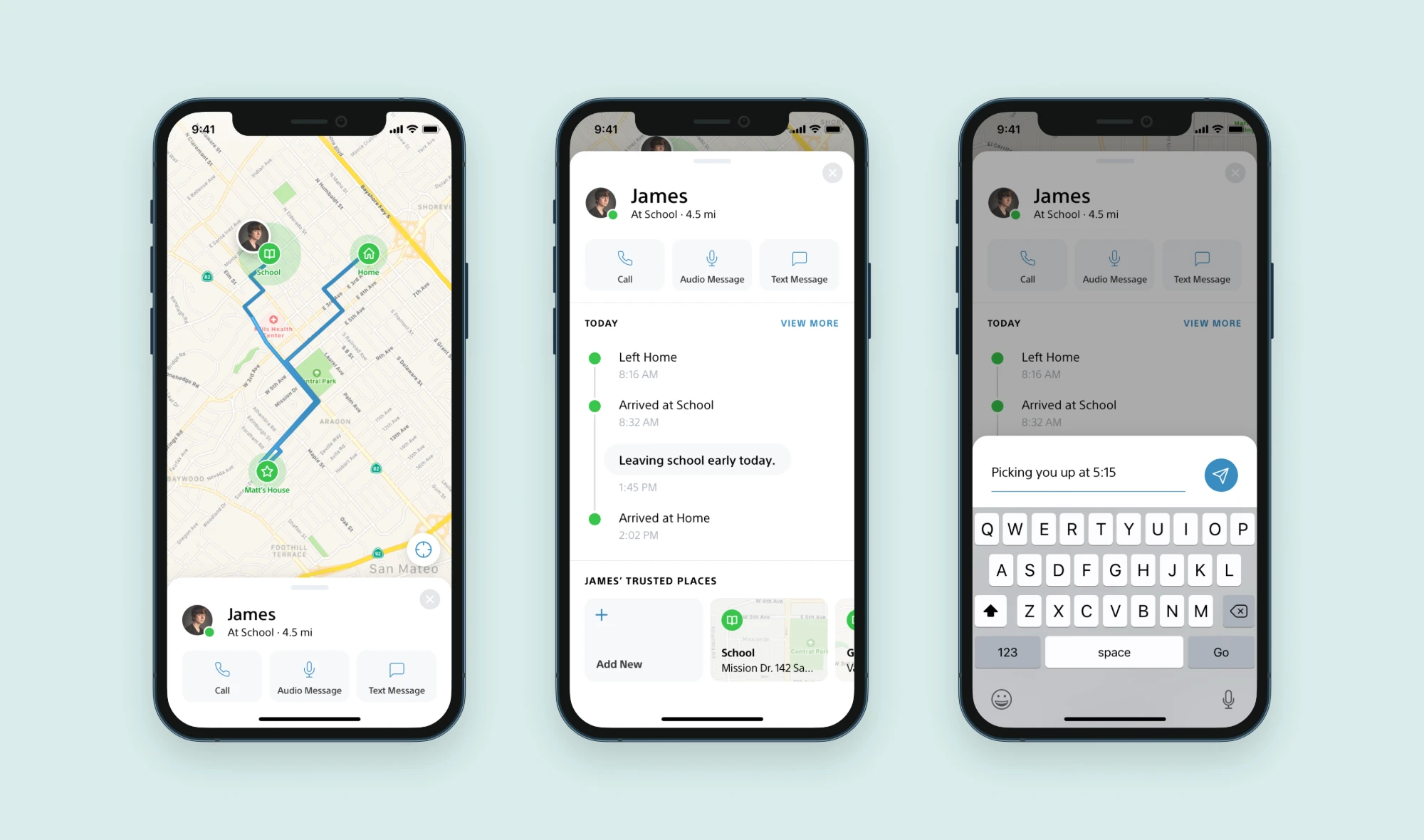
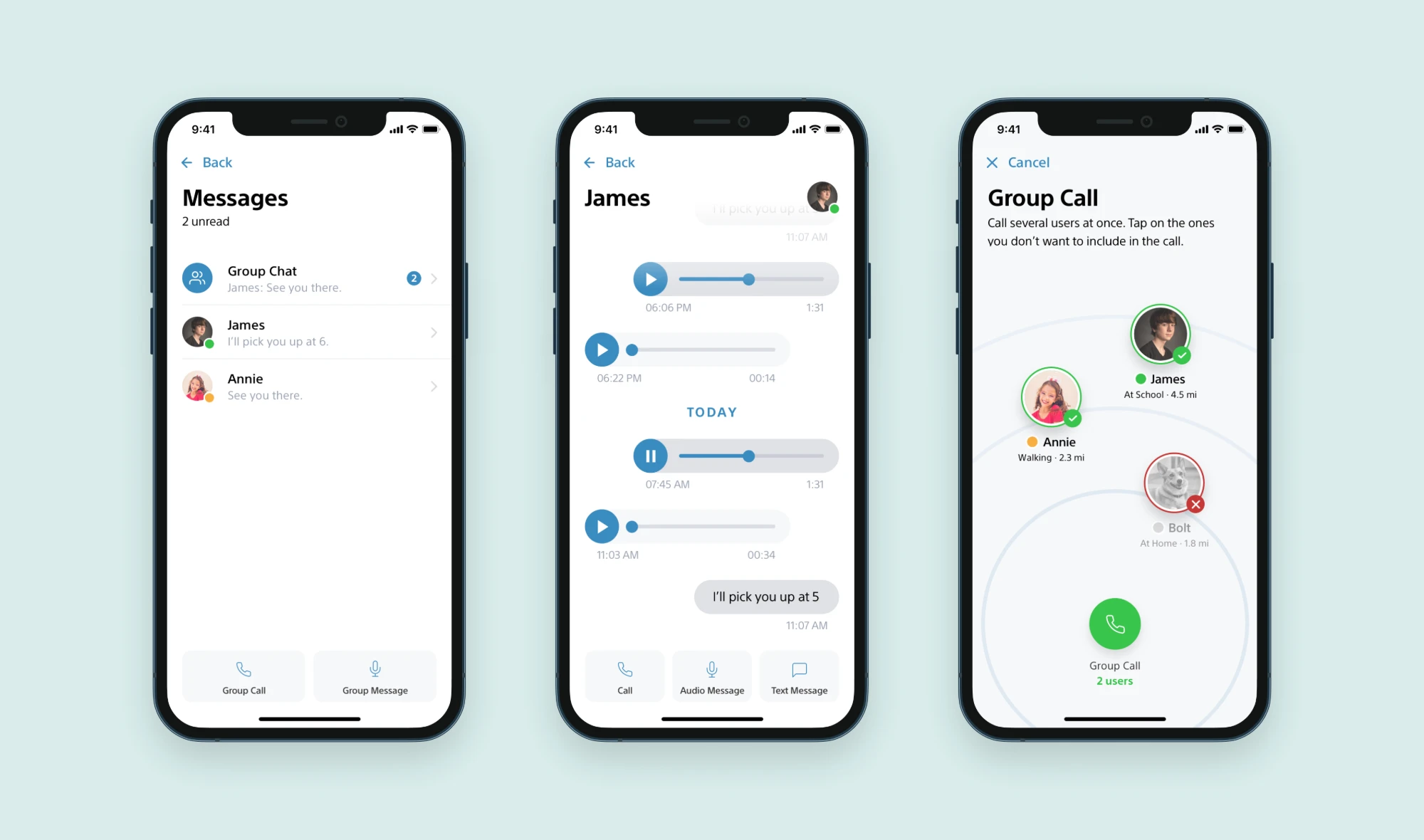
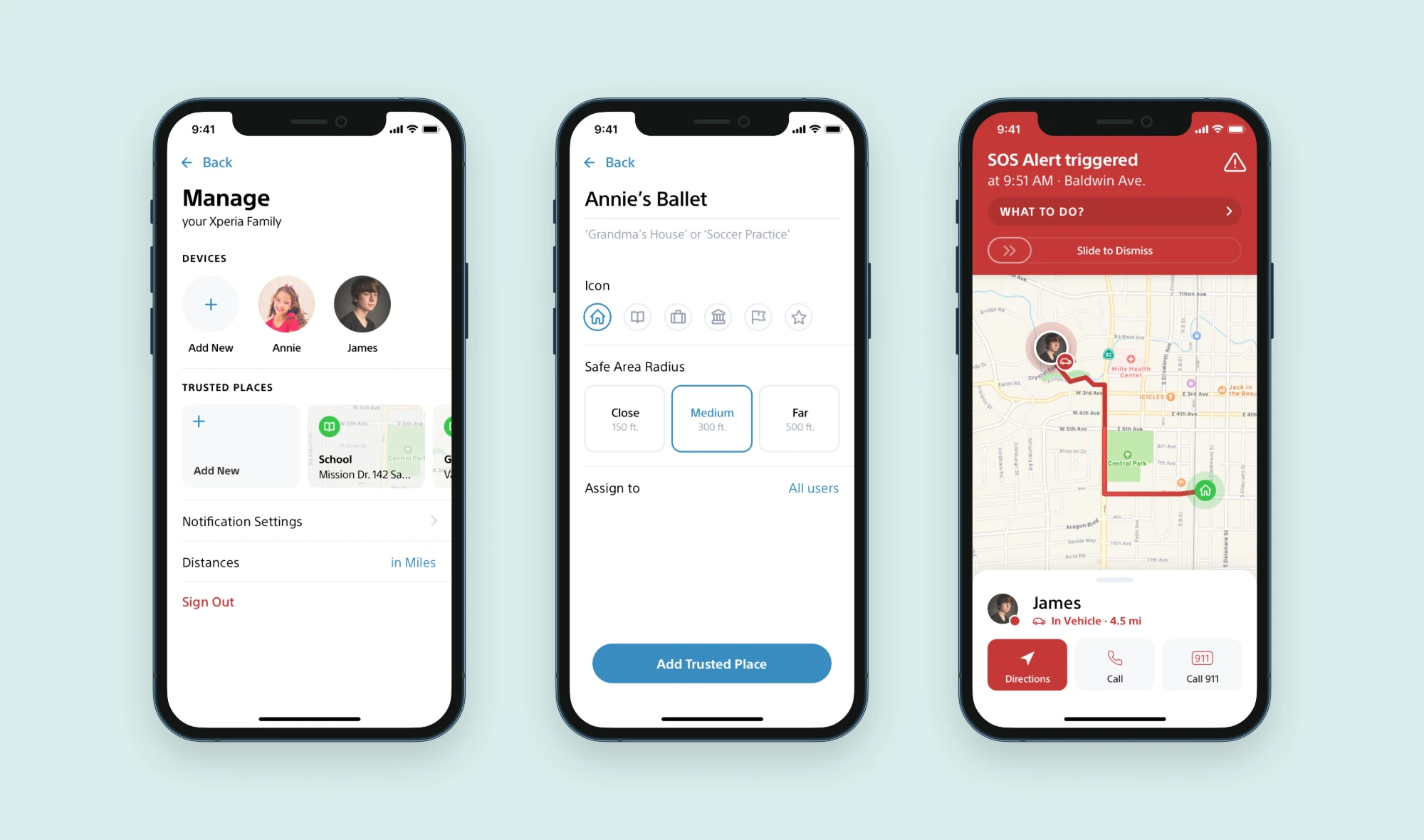
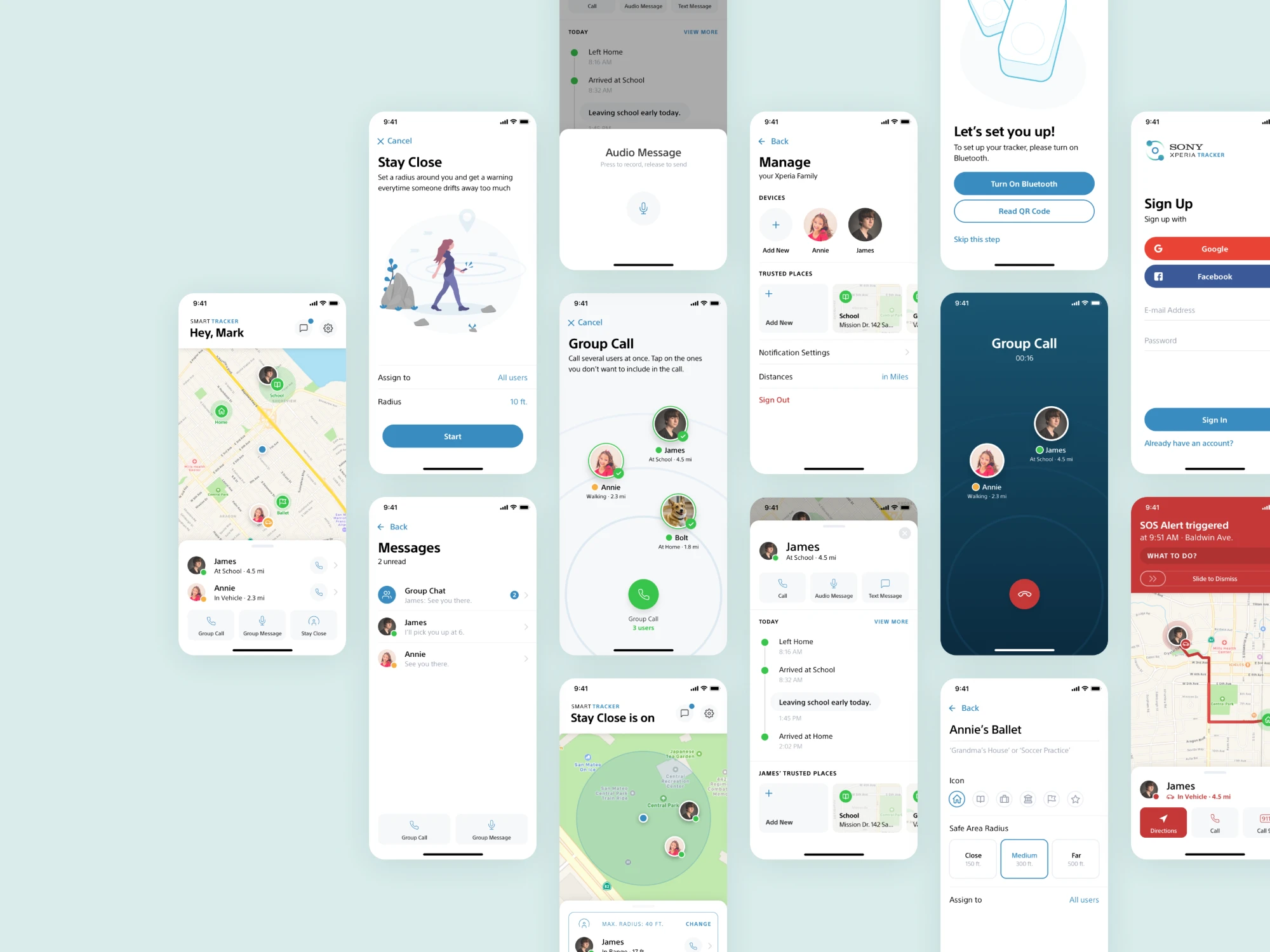
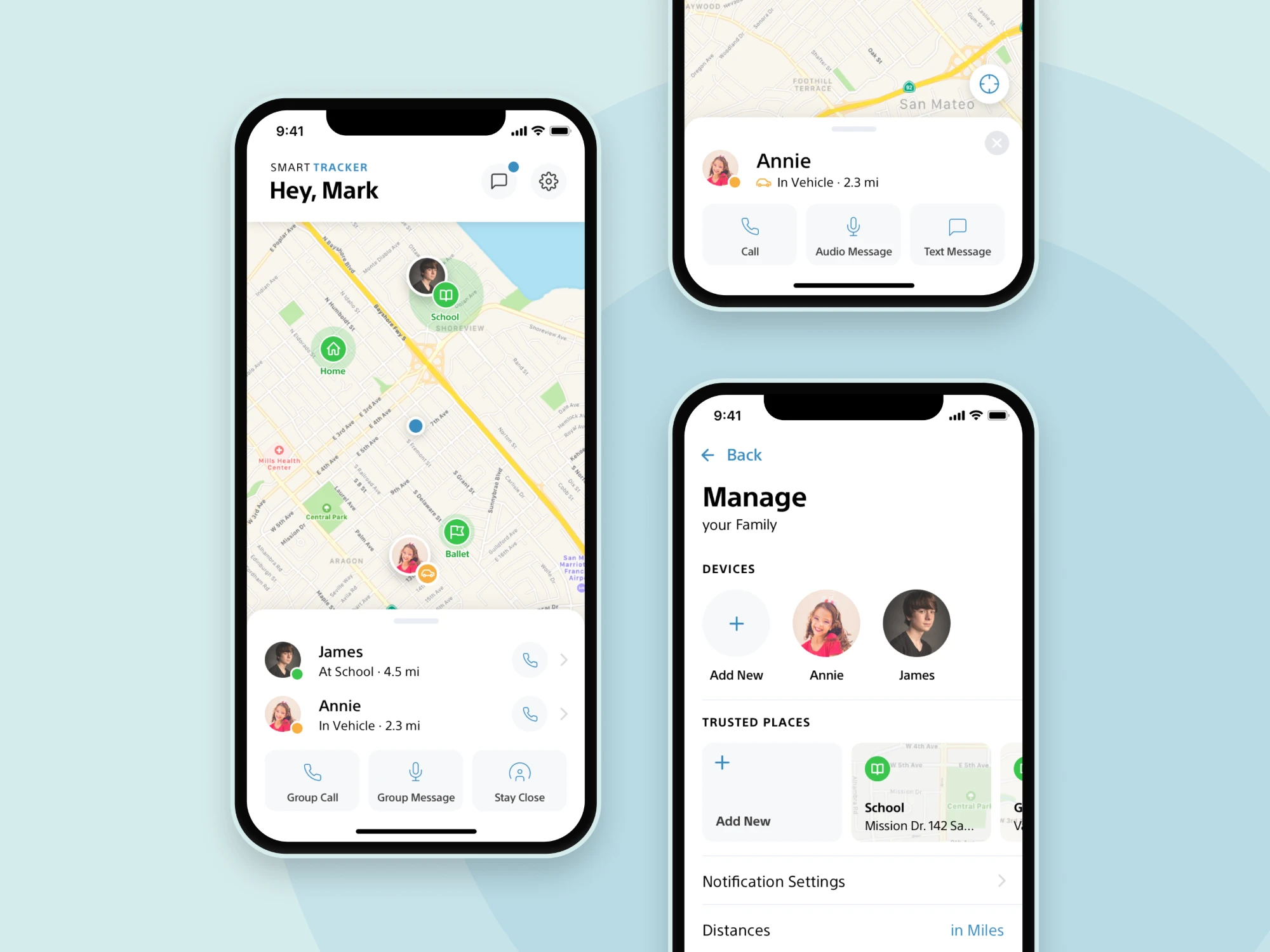
With the flows validated, we moved to high-fidelity UI design, aiming for clarity, accessibility and an inviting, family-friendly look. We built a fully interactive prototype to demonstrate the key scenarios: tracking, calling, setting up safe zones and responding to alerts.
Key features and screens
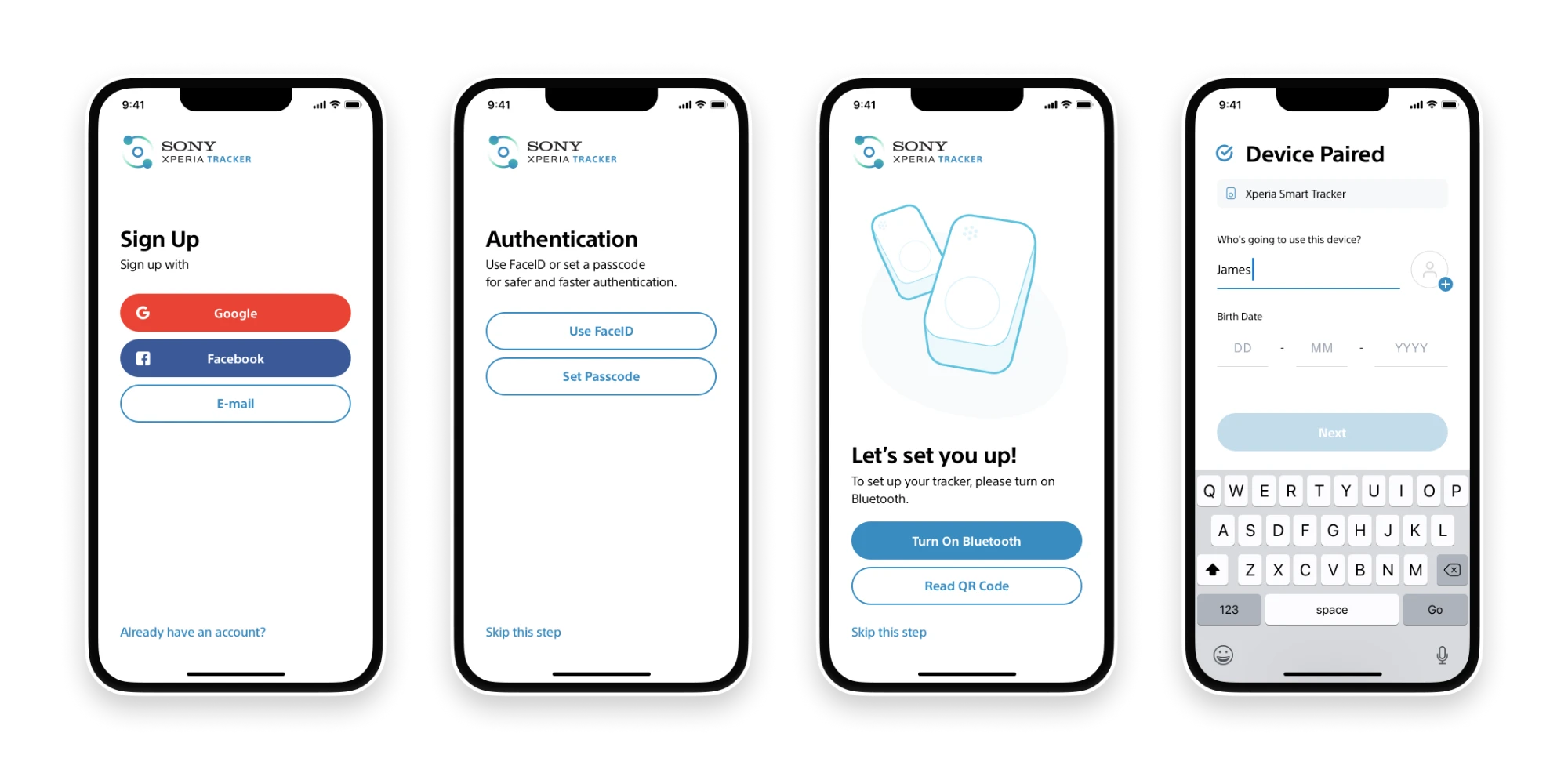
The sign-up and device set-up flow integrates social login, biometrics and passcodes to keep the process fast.
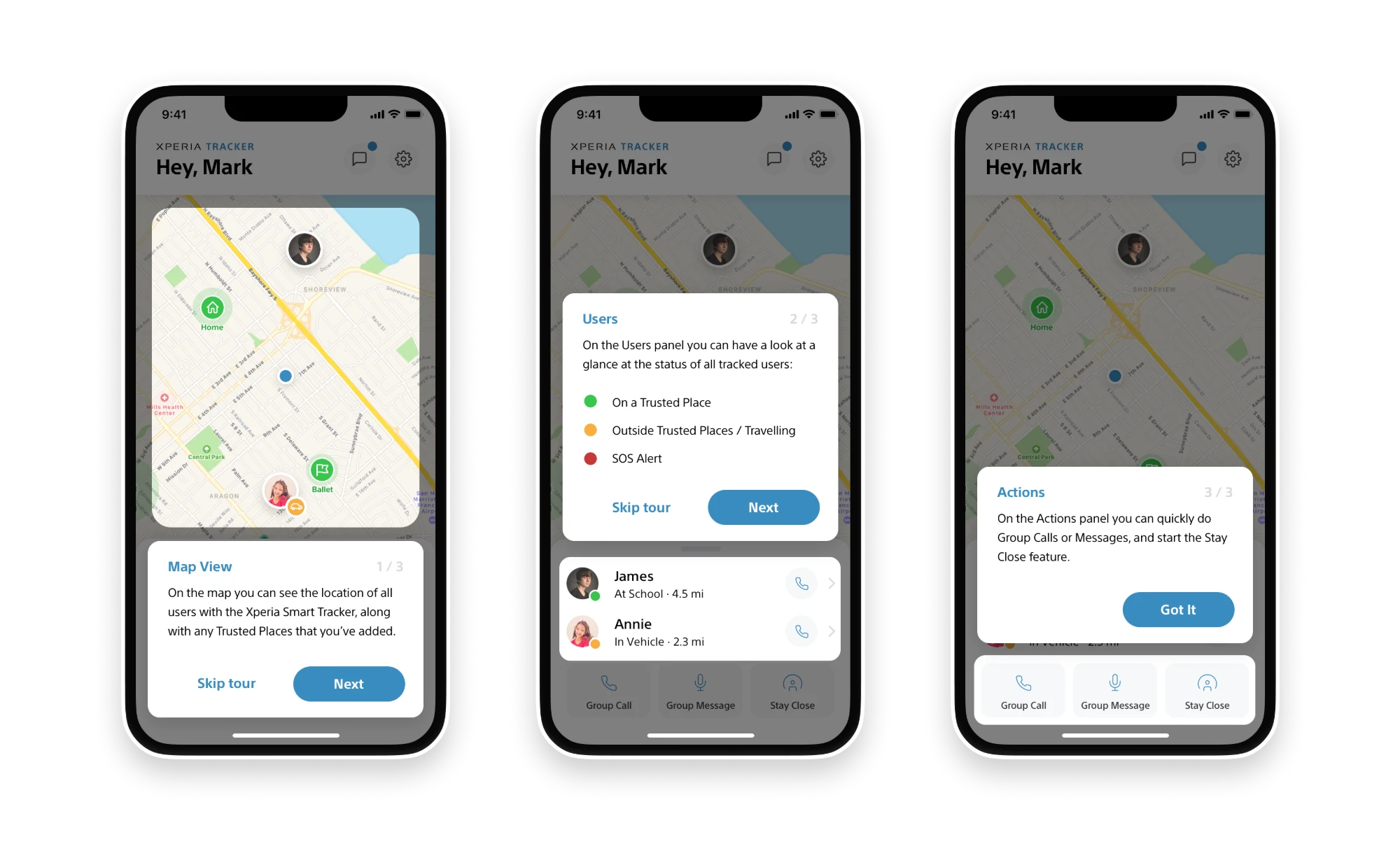
A short tour introduces the map, the users panel and the quick actions.
Outcome and pitch
The prototype balanced tracking and safety features with an approachable design. We pitched the concept and prototype to Sony's team in San Francisco.
Feedback was positive on the clarity of the user flows and the thoughtful approach to family safety.